

Step 4: Insert keys
Every key should slide easily into place and snap to its magnet.
If a key doesn’t slide in easily or doesn’t move freely:
- File a little material off the sides of the key.
- If it still binds, file the bottom (the chamfered back of the key base).
- Try the fit again.
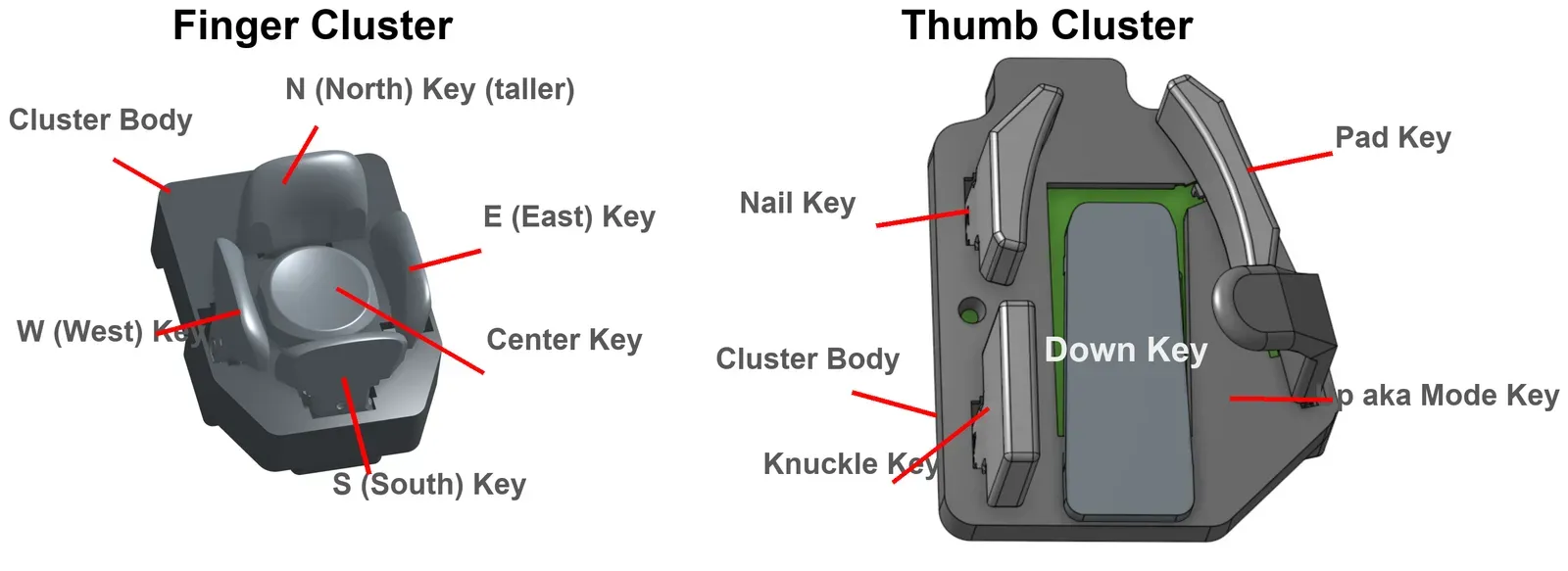
This is how each key sits in its cluster:
Tipping center keys
Section titled “Tipping center keys”- Remove the North key.
- Hook the base of the tipping center key through the hole on the North side of the cluster.
- Let it snap into place.
- Put the North key back.
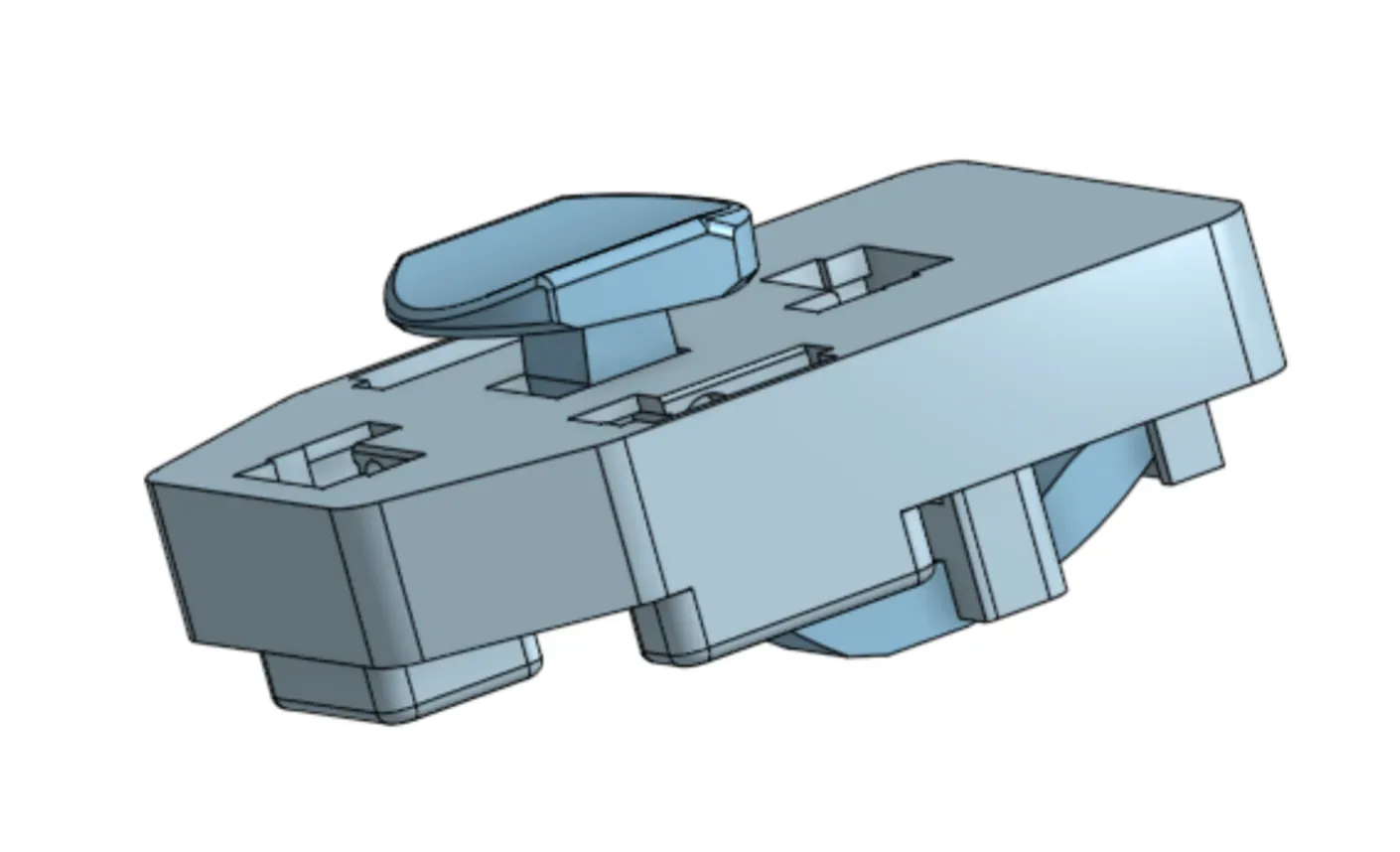
The tipping center key replaces the older slider-based center key. Slider parts are deprecated.