Sizing before you build
Print your keys to fit your fingertips. Measure first, then print (Step 1).
Choose your key width
Section titled “Choose your key width”Svalboard is most comfortable with the keys as close to your fingers as possible, without being so close that you press keys by accident.
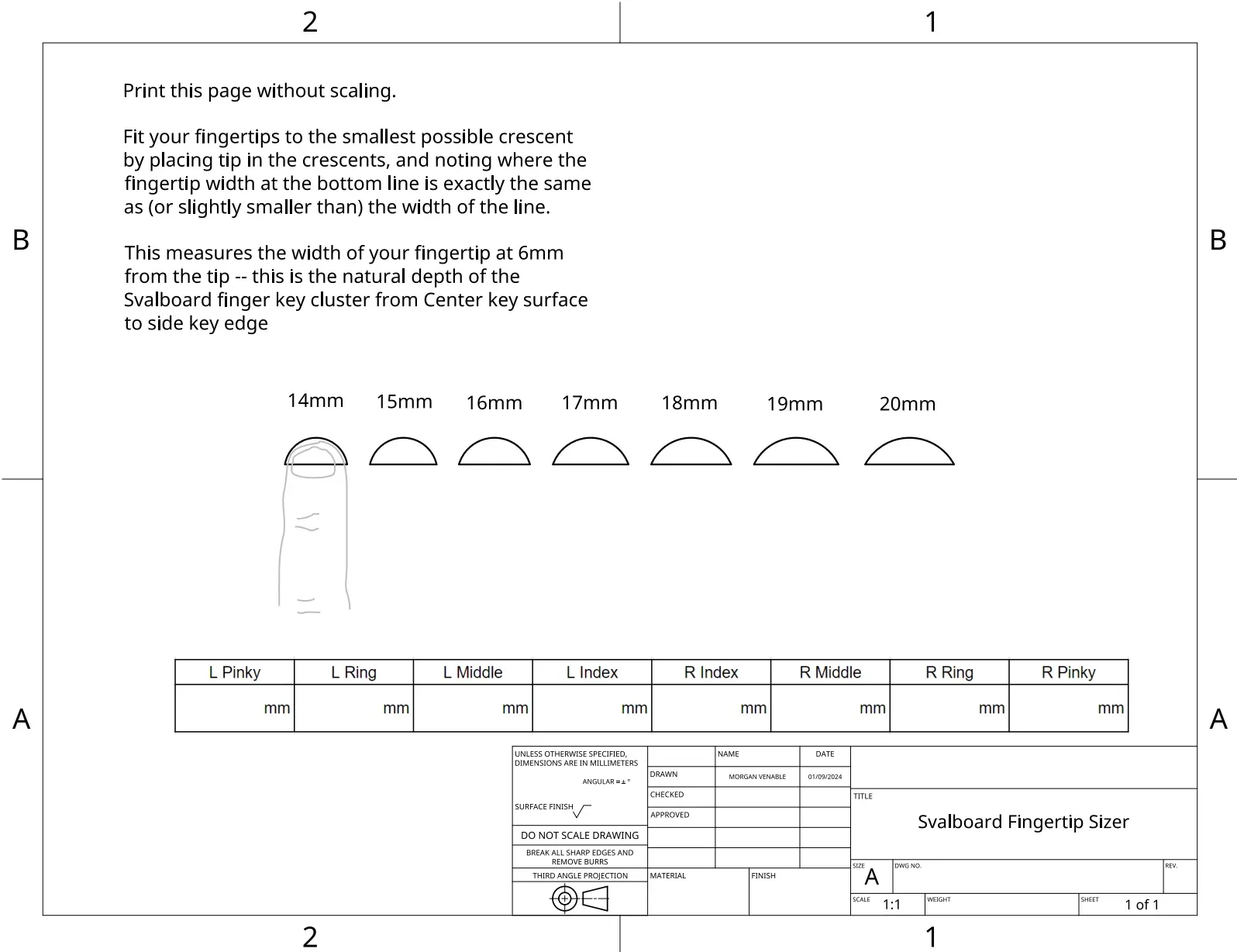
- Print the fingertip sizer at 100%, with no scaling: svalboard.com/sizer.
- Place each fingertip in the crescents. Find the smallest crescent where your fingertip width at the bottom line is the same as the line, or slightly smaller.
- Write down the width for each finger in the table on the sizer.
- Pick the key size that fits your largest fingertip.
The sizer measures fingertip width 6 mm from the tip. That is the depth of a finger cluster, from the center key surface to the edge of the side keys.
Key sizes
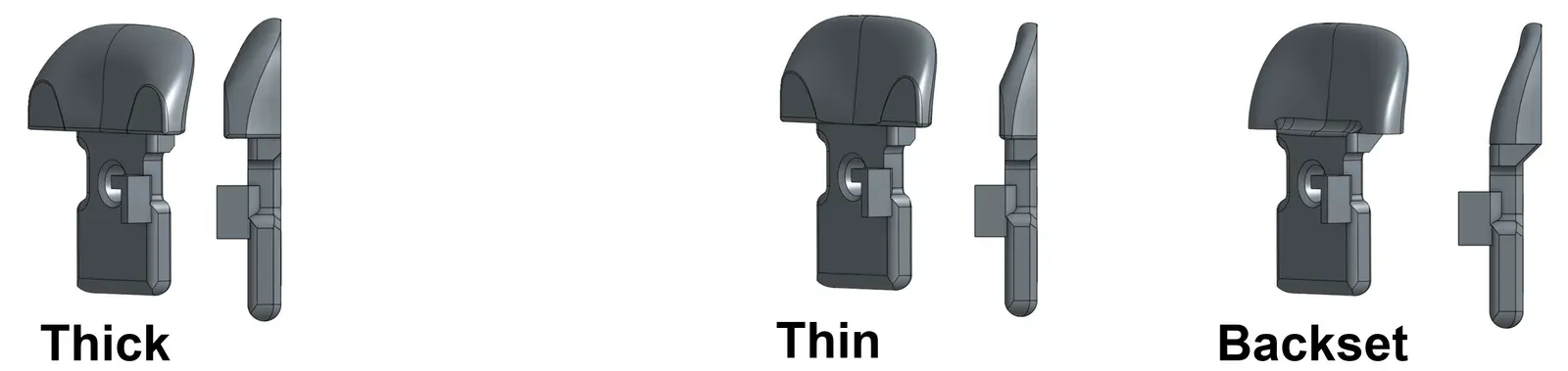
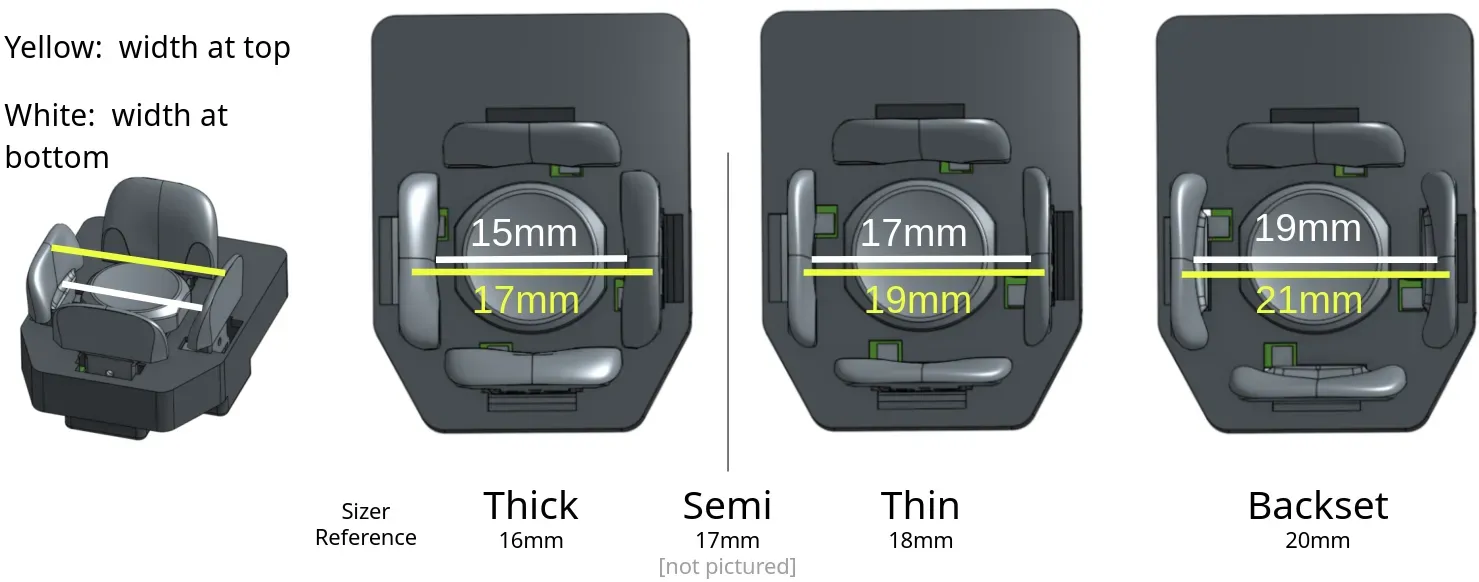
Section titled “Key sizes”There are four side key sizes. In order of increasing fingertip space:
| Size | Spacing |
|---|---|
| Thick | 16 mm |
| Semi | 17 mm |
| Thin | 18 mm |
| Backset | 20 mm |
- People with thin or pointed fingertips may prefer the thicker keys.
- People with blunt or wide fingertips may need the Backset keys for enough room to type comfortably.
- North keys come in Thick only.
The spacing is the minimum distance between the keys, measured at the top of the center key.
Example
Section titled “Example”Svalboard’s creator has slightly wide ring fingertips and uses the Thick keys without a problem. The Thin keys work for him too.
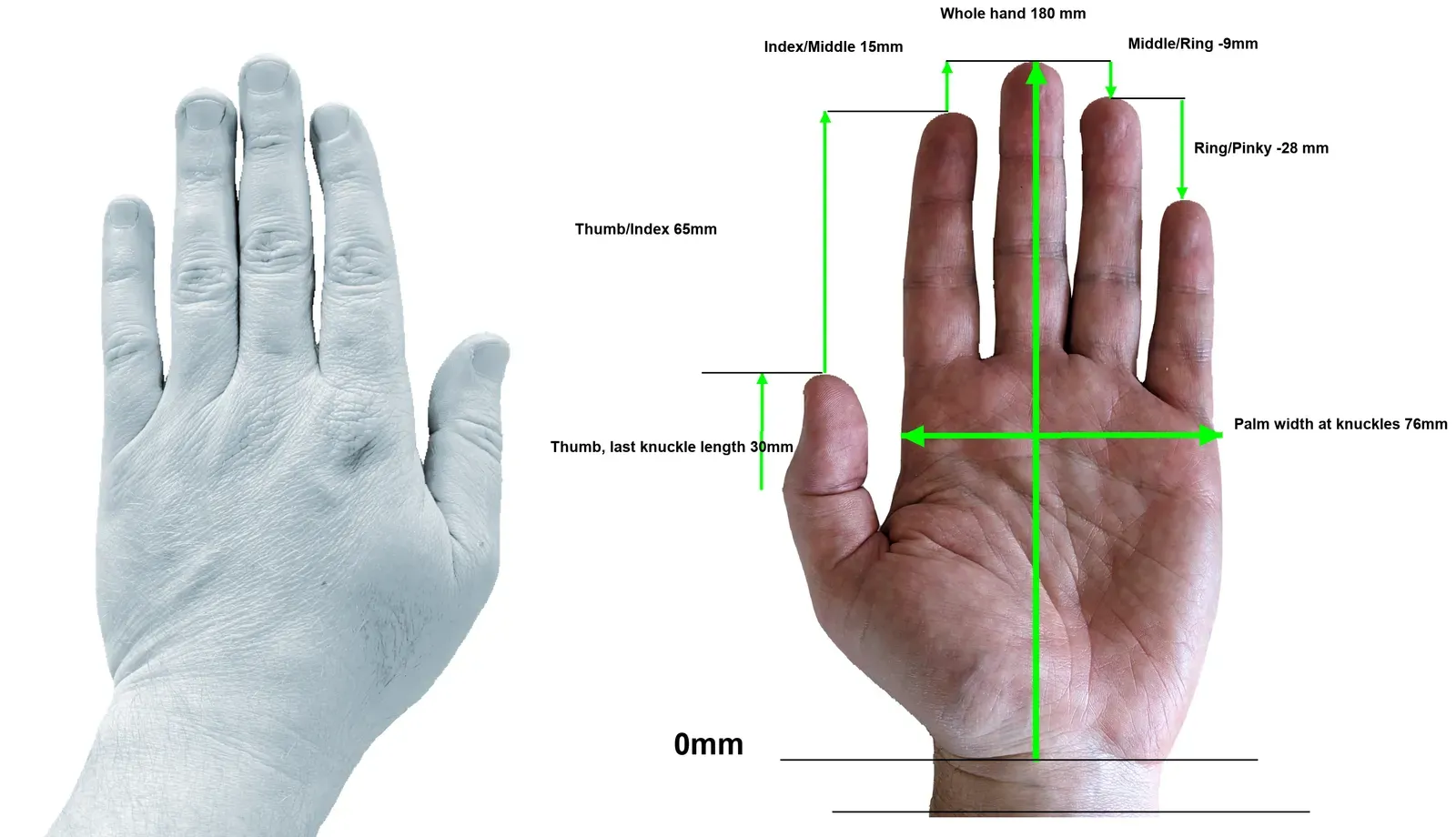
Other hand measurements
Section titled “Other hand measurements”Only fingertip width calls for different parts. Every Svalboard has plenty of adjustment range for the rest. Hand size can help you pick a trackball size:
- Hand length, wrist to the tip of the middle finger: under 170 mm is extra small, 170 mm small, 180 mm medium, 190 mm large, over 195 mm extra large.
- Palm width at the knuckles: under 75 mm is small, 75 to 85 mm medium, over 85 mm large.
44 mm is the default trackball size. A 55 mm ball only fits very large hands. See Trackballs and static bearings.