Skip to content

Connect the cables

Each half has two ports side by side at the finger end, marked on the case:

  • U: the USB port. It goes straight to your computer, and nowhere else.
  • S (or ↔): the split port. The split cable joins the S ports of the two halves.

Both halves use the same board, so the ports are in the same order on both. Seen from above, S is on the left and U is on the right, on both halves.

Plug one half’s U port into your computer. Connect the split cable between the two S ports. Usually that’s the right half, but either half can be the one you plug in; if you have a TrackPoint, plug in the TrackPoint half (see Connect the cables in the build guide).
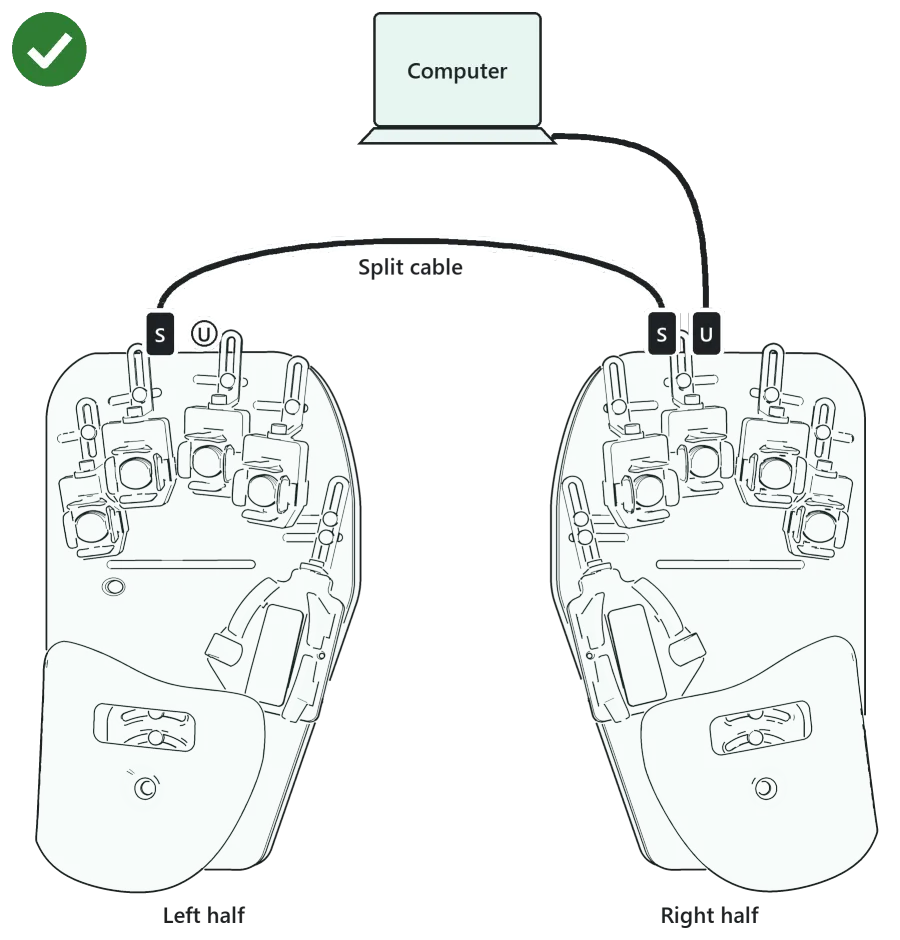
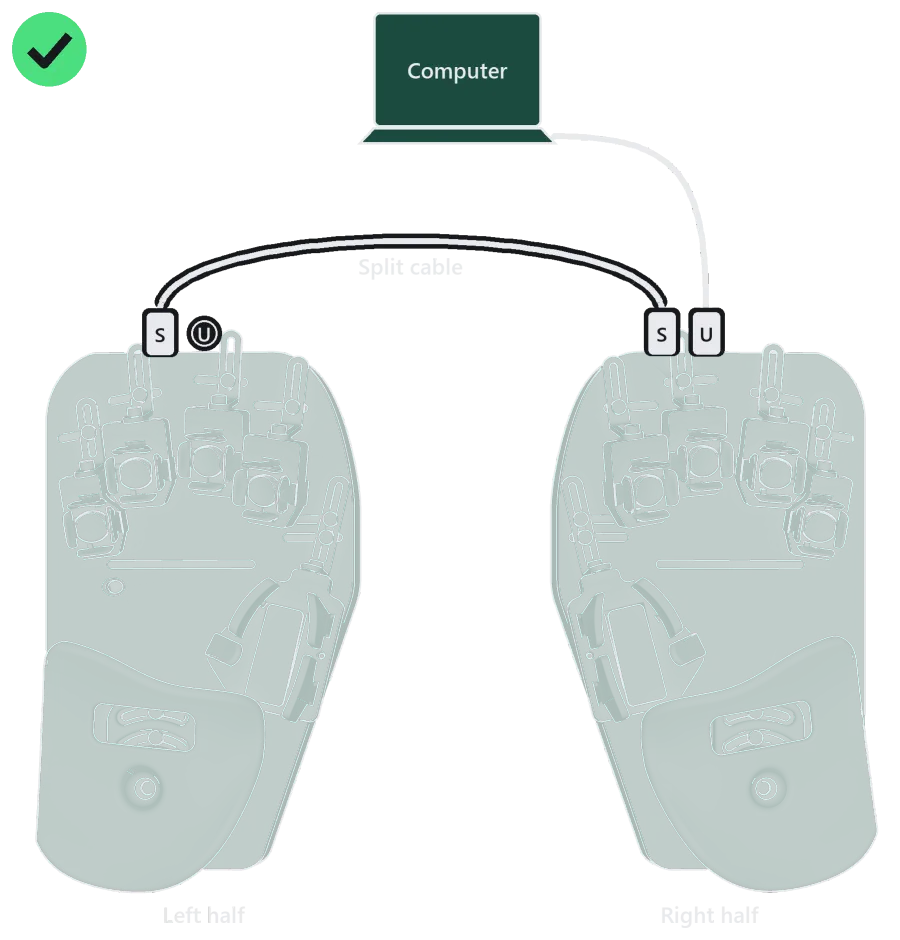
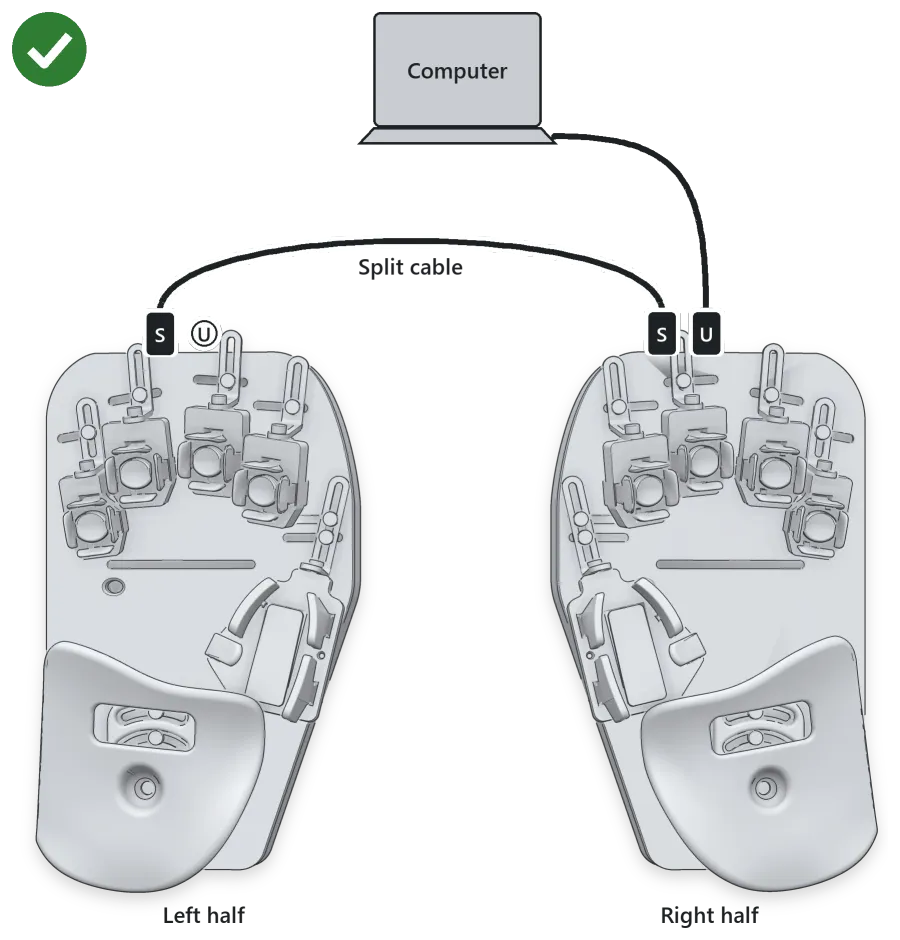
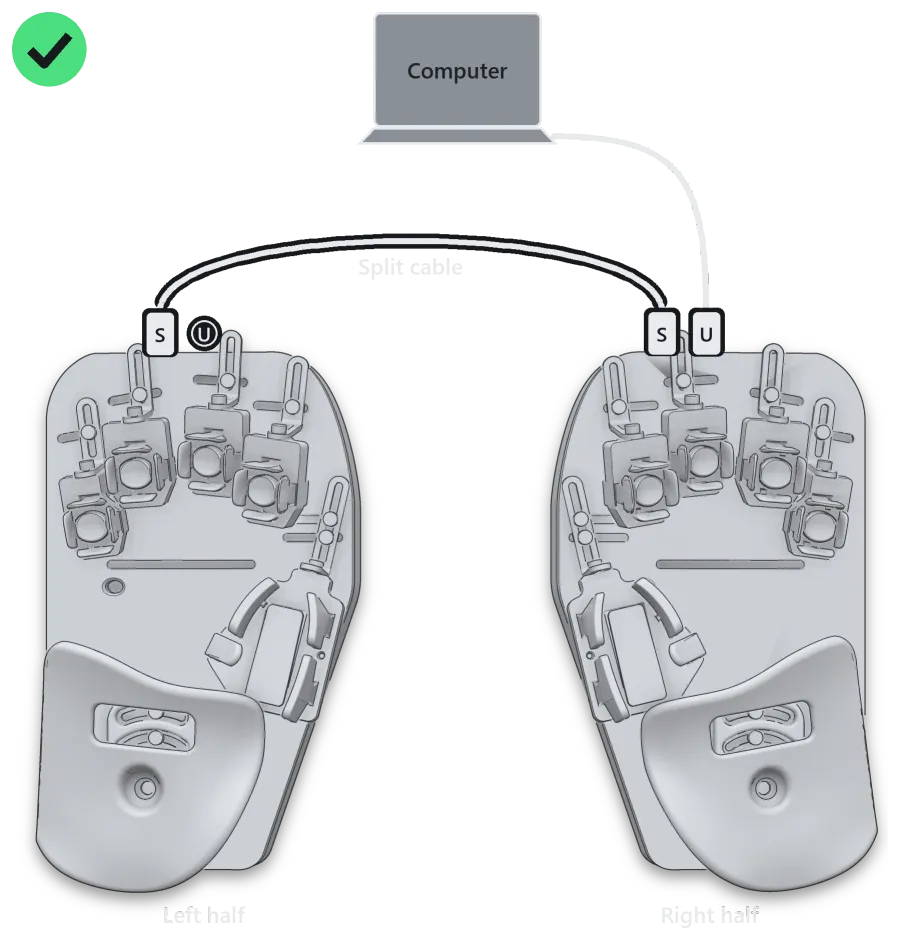
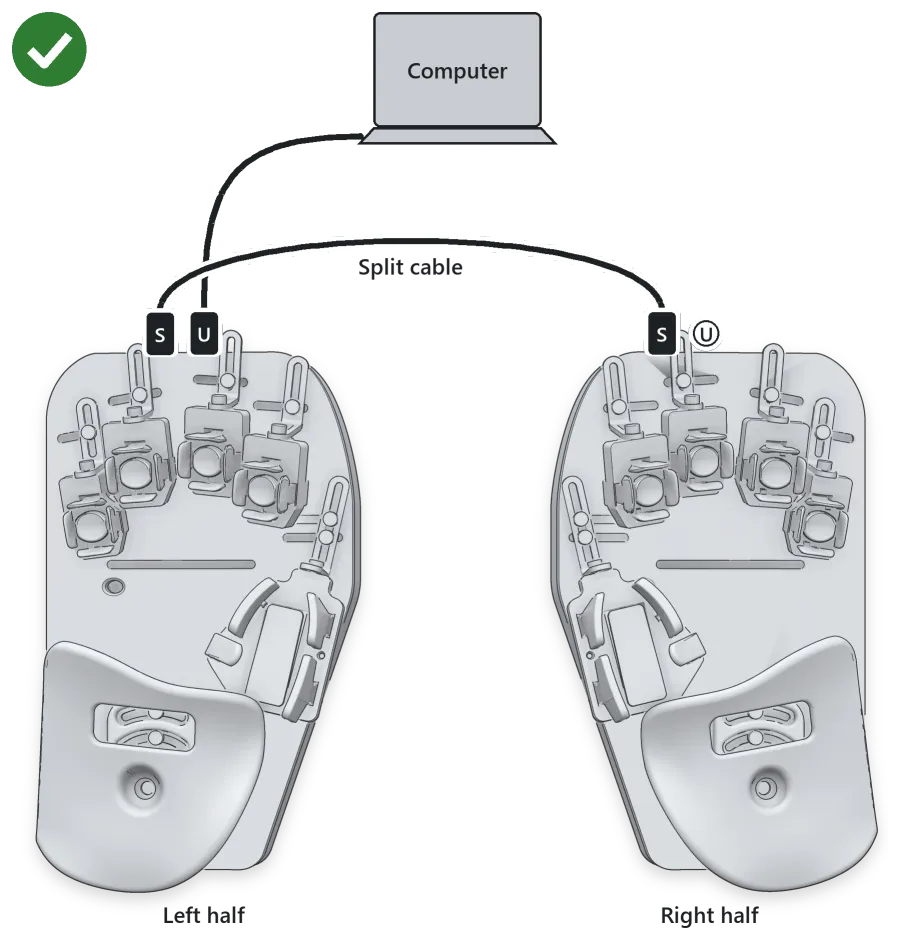
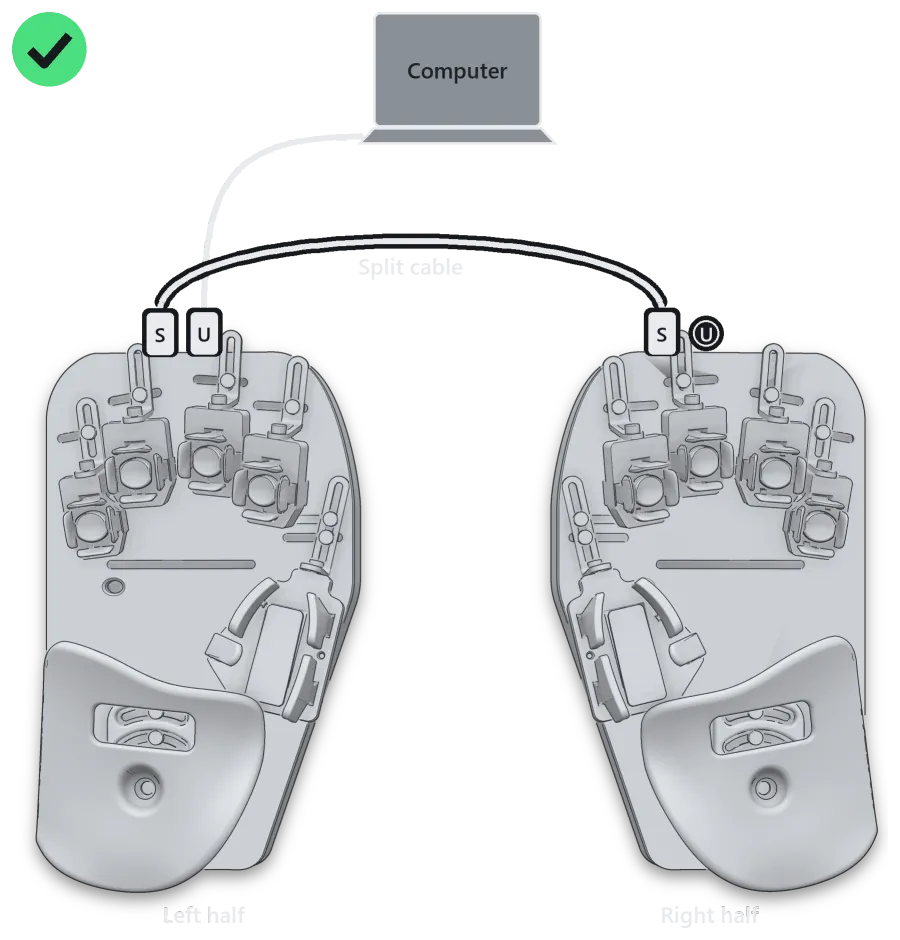
Correct, marked with a green check: both halves from above. A cable runs from the right half's U port to the computer. The split cable arches between the two halves' S ports.Correct, marked with a green check: both halves from above. A cable runs from the right half's U port to the computer. The split cable arches between the two halves' S ports.Correct, marked with a green check: both halves from above. A cable runs from the right half's U port to the computer. The split cable arches between the two halves' S ports.Correct, marked with a green check: both halves from above. A cable runs from the right half's U port to the computer. The split cable arches between the two halves' S ports.
Right half plugged in, the usual setup: its U port to the computer, the split cable between the S ports.
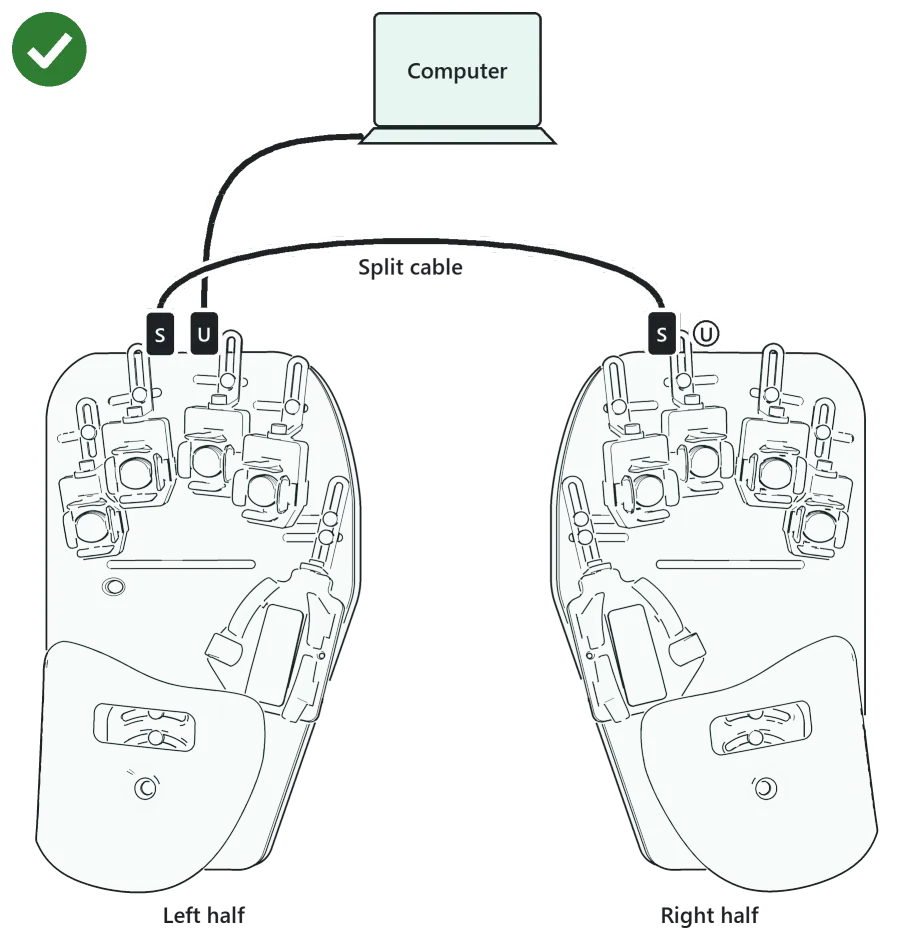
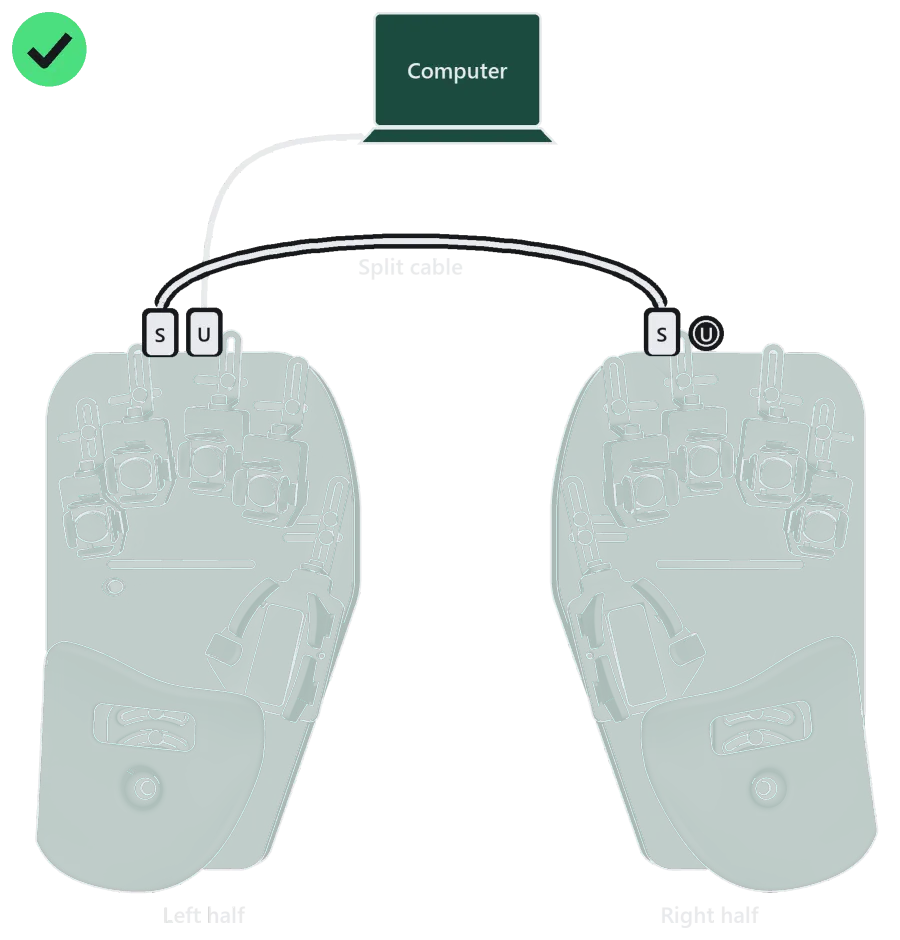
Correct, marked with a green check: both halves from above. A cable runs from the left half's U port to the computer. The split cable arches from the left half's S port, over that cable, to the right half's S port.Correct, marked with a green check: both halves from above. A cable runs from the left half's U port to the computer. The split cable arches from the left half's S port, over that cable, to the right half's S port.Correct, marked with a green check: both halves from above. A cable runs from the left half's U port to the computer. The split cable arches from the left half's S port, over that cable, to the right half's S port.Correct, marked with a green check: both halves from above. A cable runs from the left half's U port to the computer. The split cable arches from the left half's S port, over that cable, to the right half's S port.
Left half plugged in: its U port to the computer, the split cable between the S ports.

Plug the half you’re installing straight into your computer by its U port. Keep the split cable connected, as Install firmware by hand shows for each half. Firmware never goes in through the S port.

The cables are the same as for everyday use, shown above.

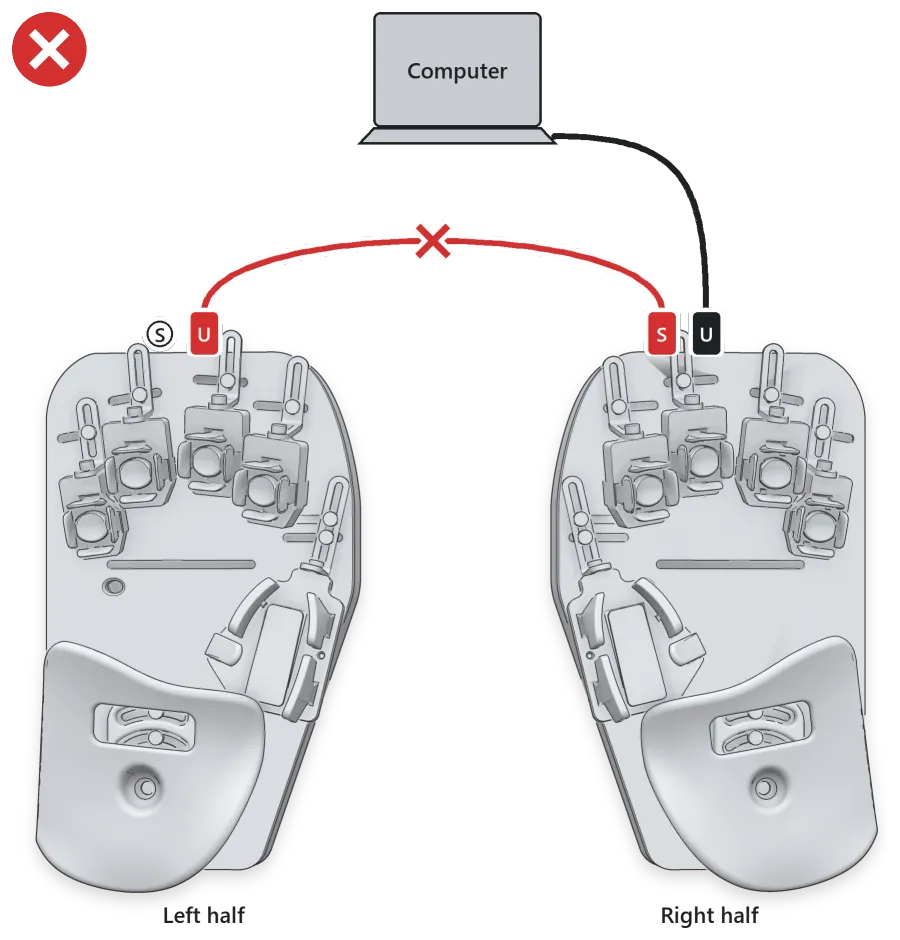
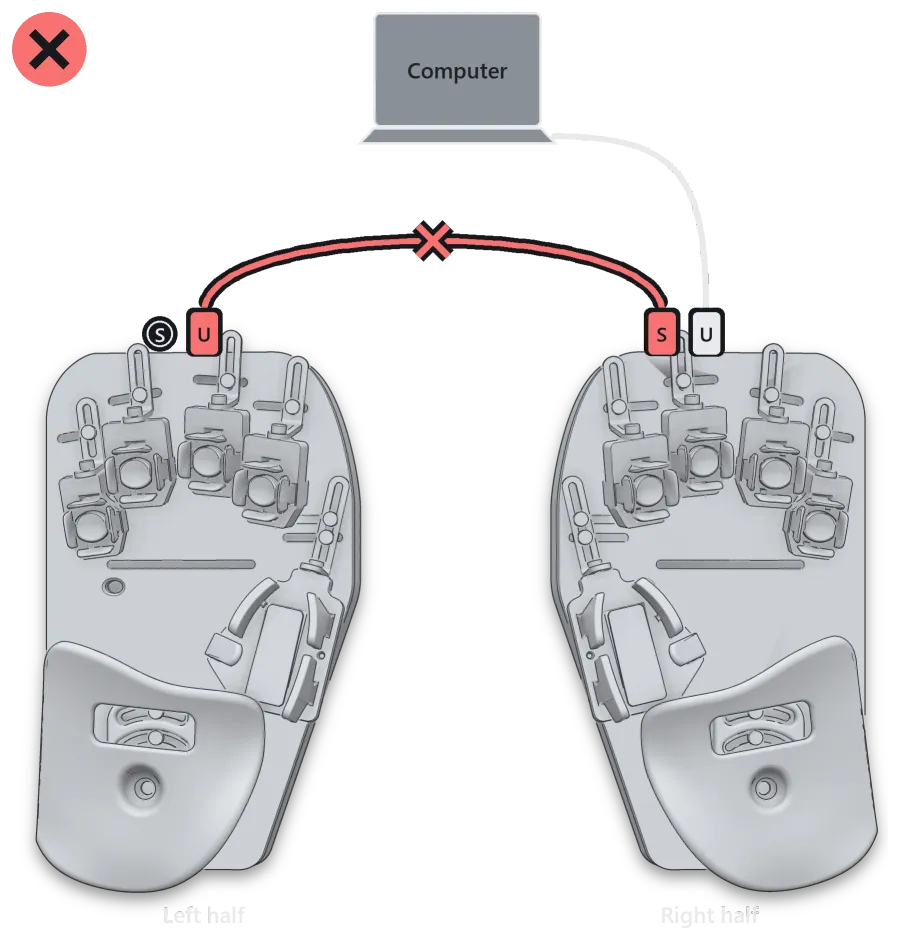
A U port never connects to the other half. If one half’s U port is cabled to the other half’s S port, that half doesn’t show up on your computer. Move that cable so the U port goes straight to the computer.
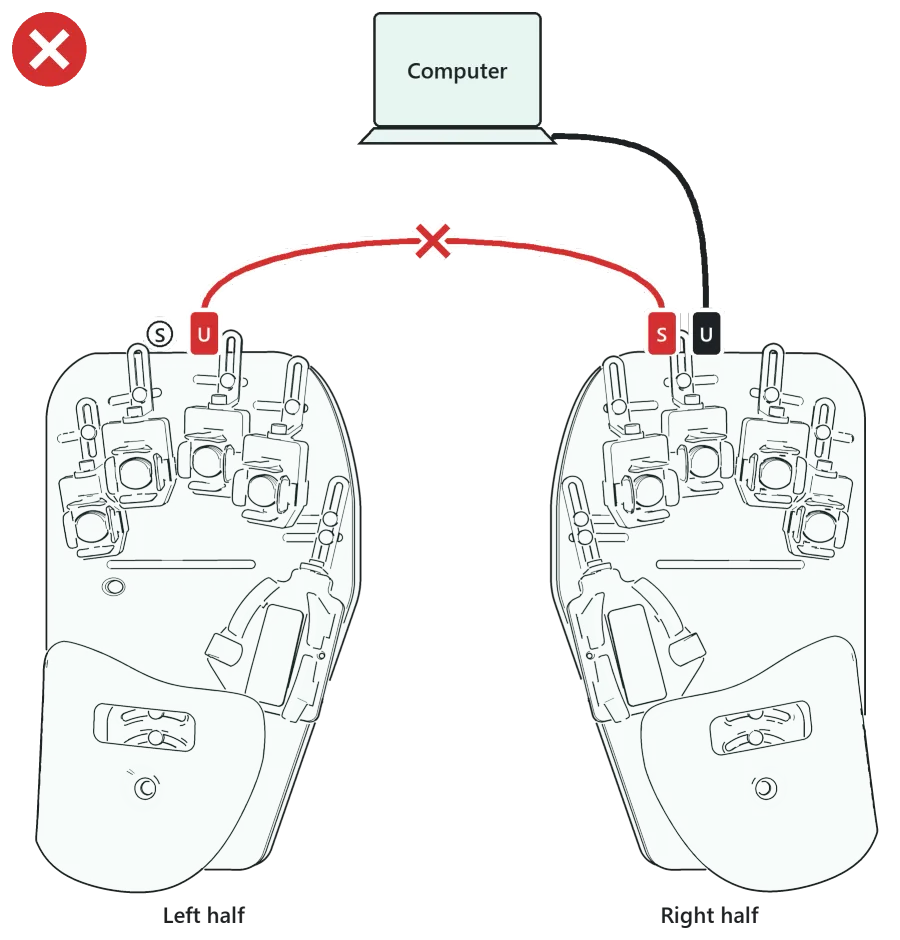
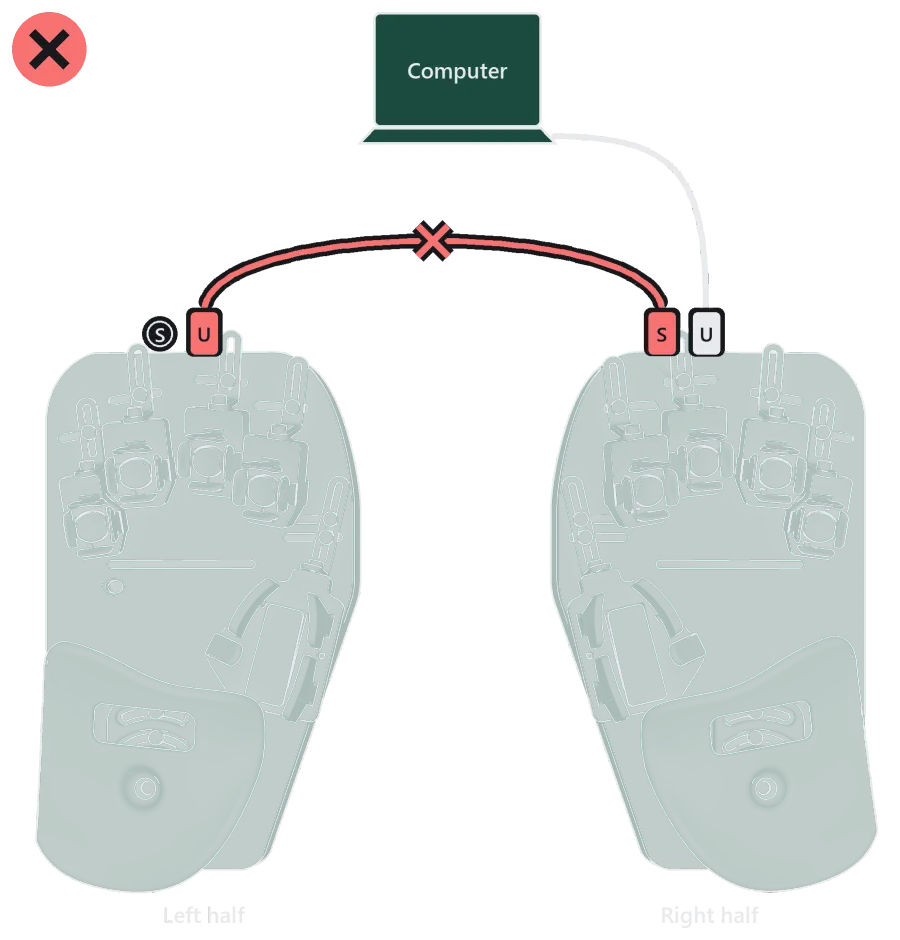
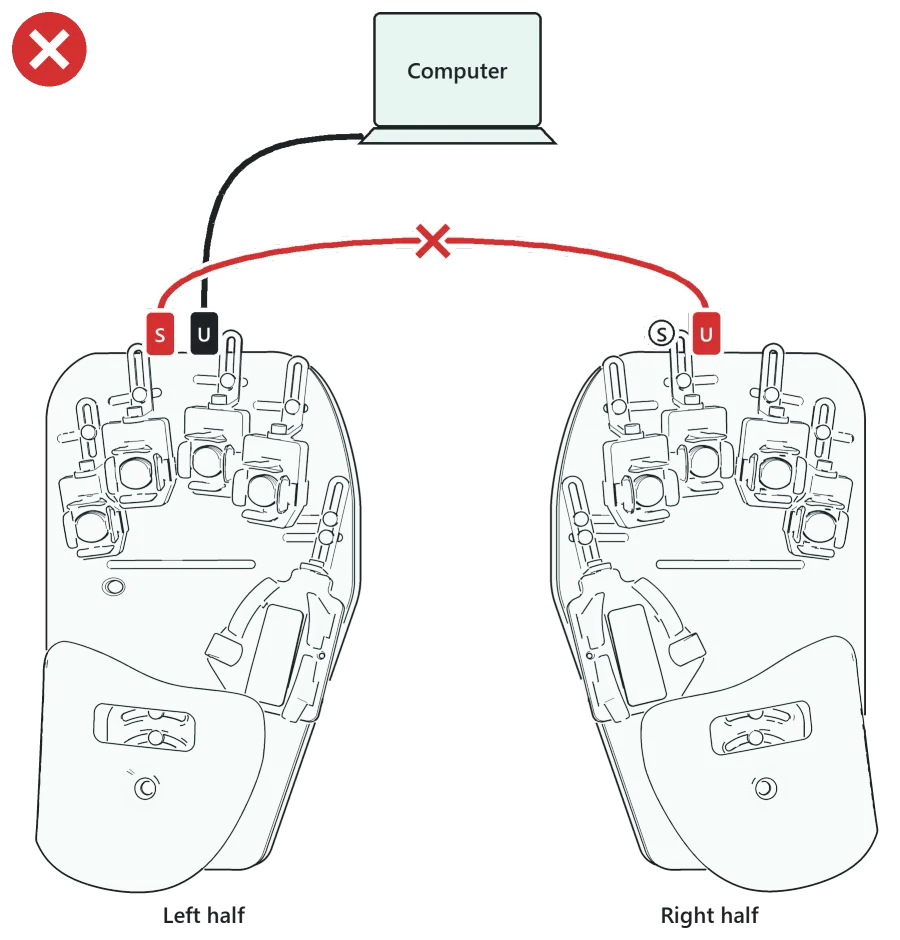
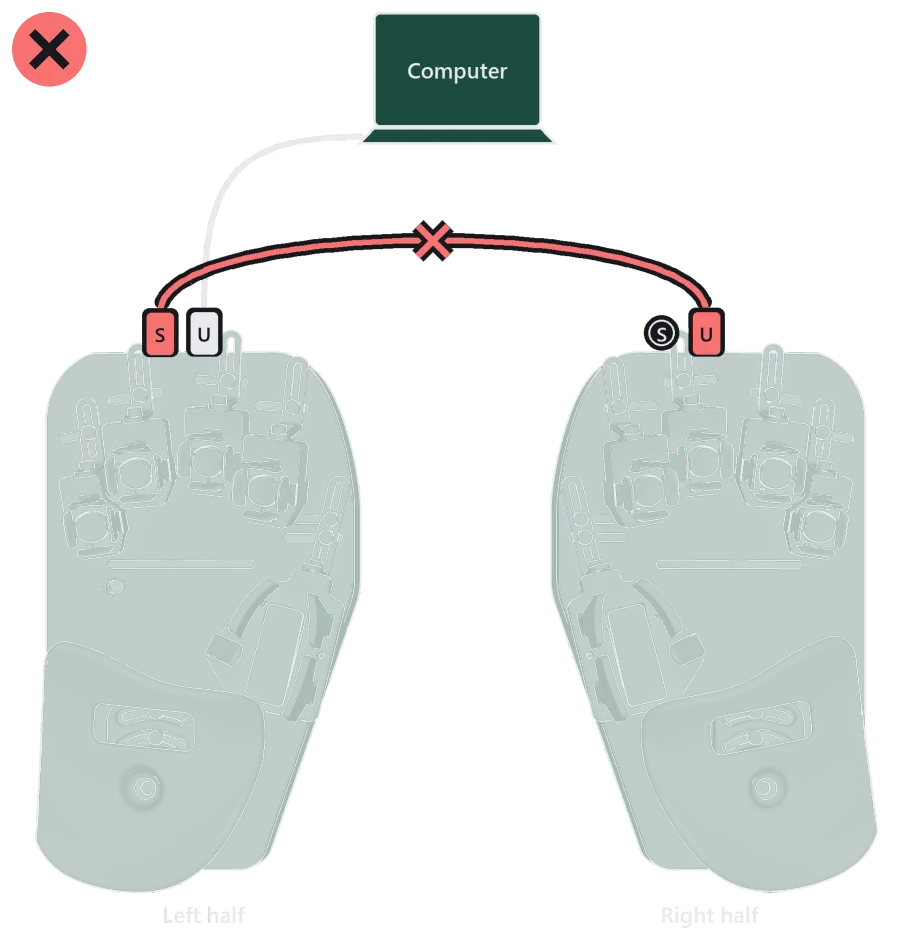
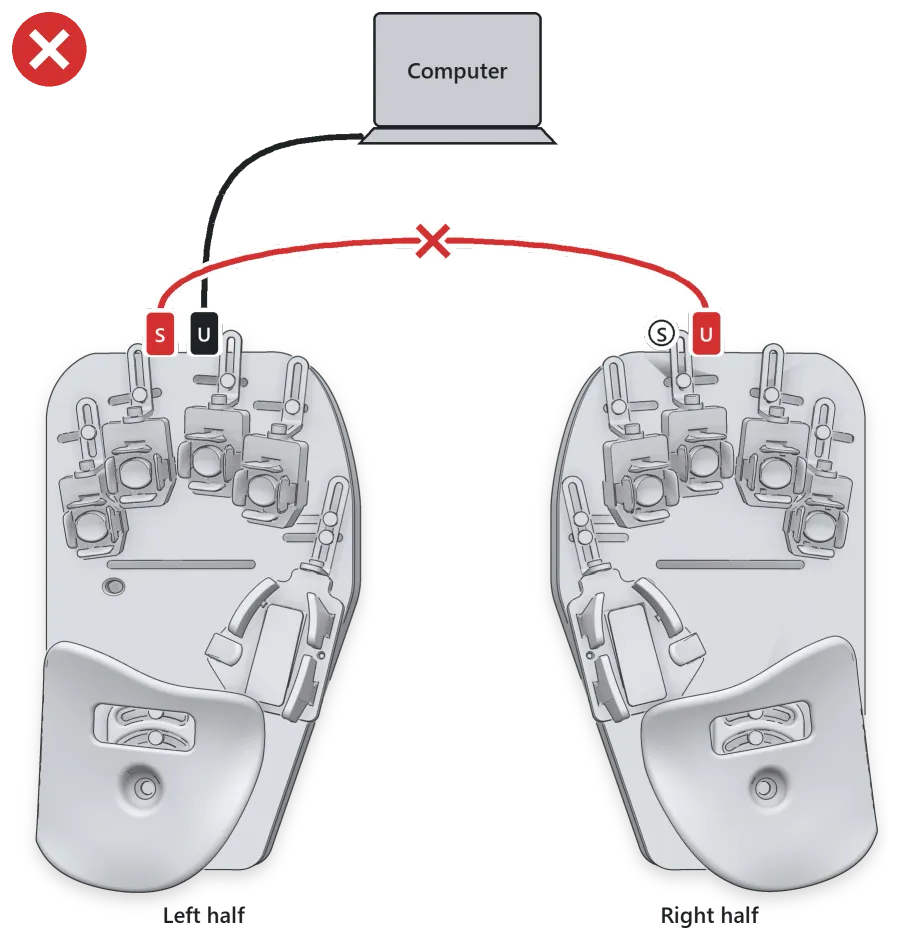
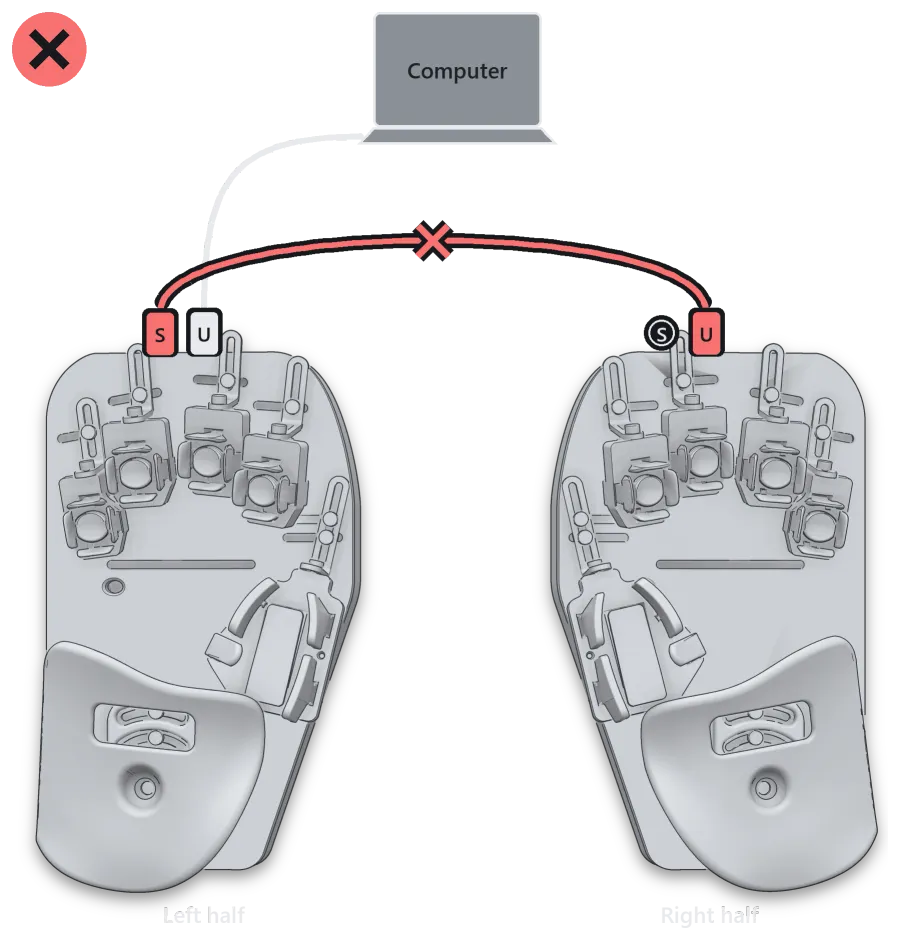
Wrong, marked with a red X: both halves from above. The right half's U port goes to the computer, and a red cable runs from the left half's U port to the right half's S port, crossed out.Wrong, marked with a red X: both halves from above. The right half's U port goes to the computer, and a red cable runs from the left half's U port to the right half's S port, crossed out.Wrong, marked with a red X: both halves from above. The right half's U port goes to the computer, and a red cable runs from the left half's U port to the right half's S port, crossed out.Wrong, marked with a red X: both halves from above. The right half's U port goes to the computer, and a red cable runs from the left half's U port to the right half's S port, crossed out.
Wrong: the left half's U port cabled to the right half's S port.
Wrong, marked with a red X: both halves from above. The left half's U port goes to the computer, and a red cable runs from the right half's U port to the left half's S port, crossed out.Wrong, marked with a red X: both halves from above. The left half's U port goes to the computer, and a red cable runs from the right half's U port to the left half's S port, crossed out.Wrong, marked with a red X: both halves from above. The left half's U port goes to the computer, and a red cable runs from the right half's U port to the left half's S port, crossed out.Wrong, marked with a red X: both halves from above. The left half's U port goes to the computer, and a red cable runs from the right half's U port to the left half's S port, crossed out.
Wrong: the right half's U port cabled to the left half's S port.

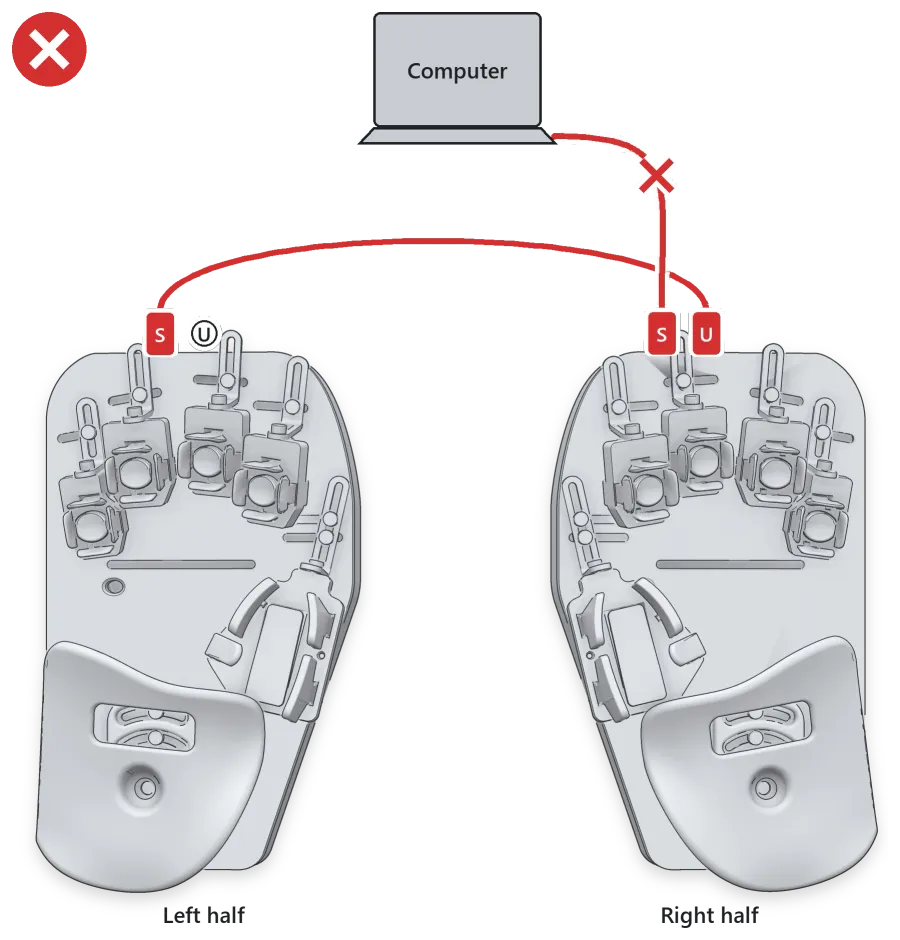
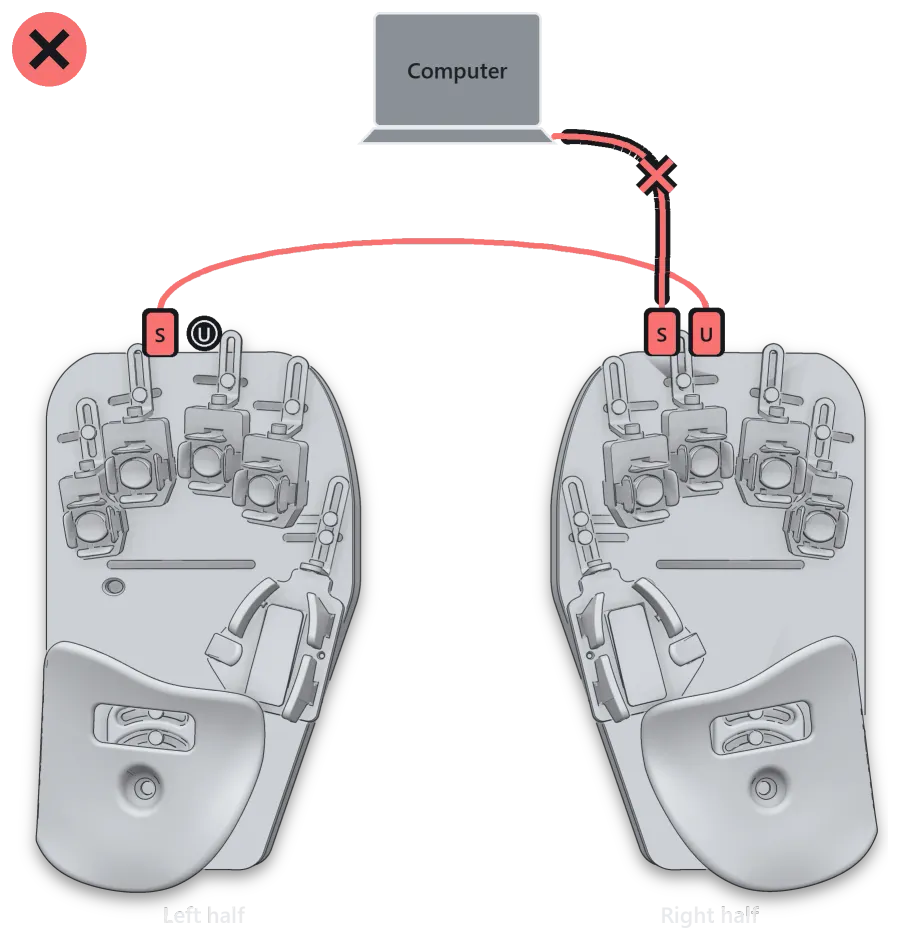
The computer always goes in a U port. Plugged into an S port, the keyboard doesn’t show up on your computer. If the two cables on a half are swapped, swap them back: computer to U, split cable to S.
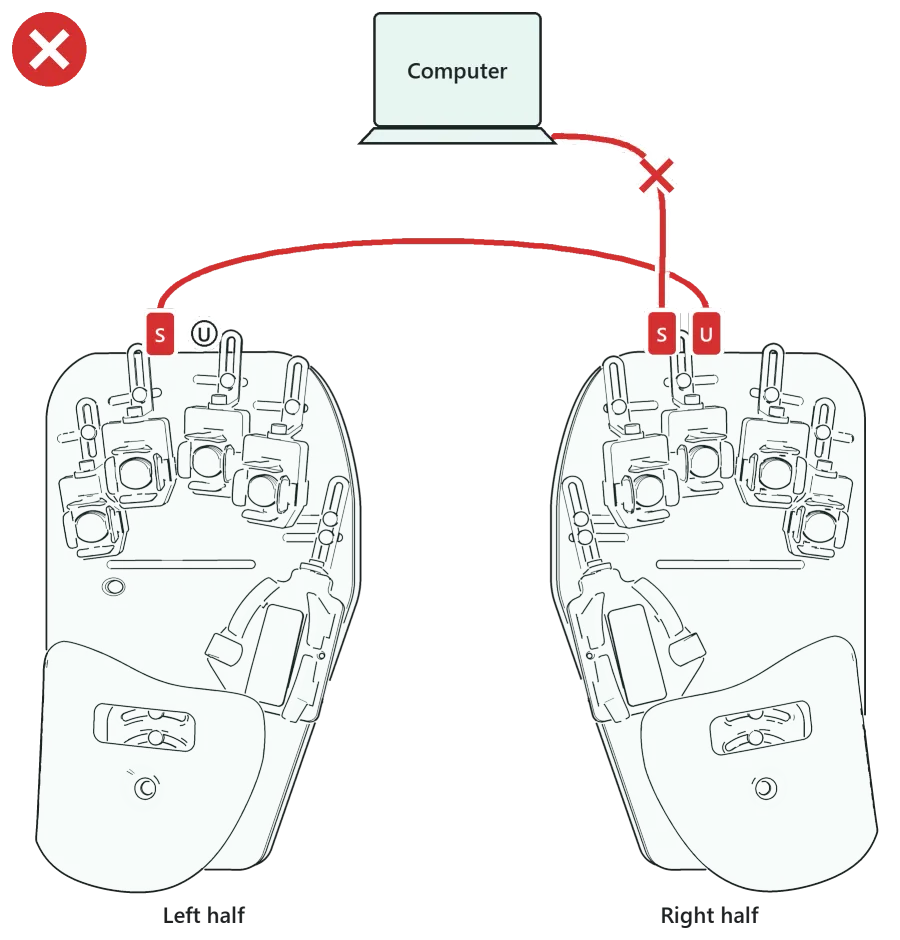
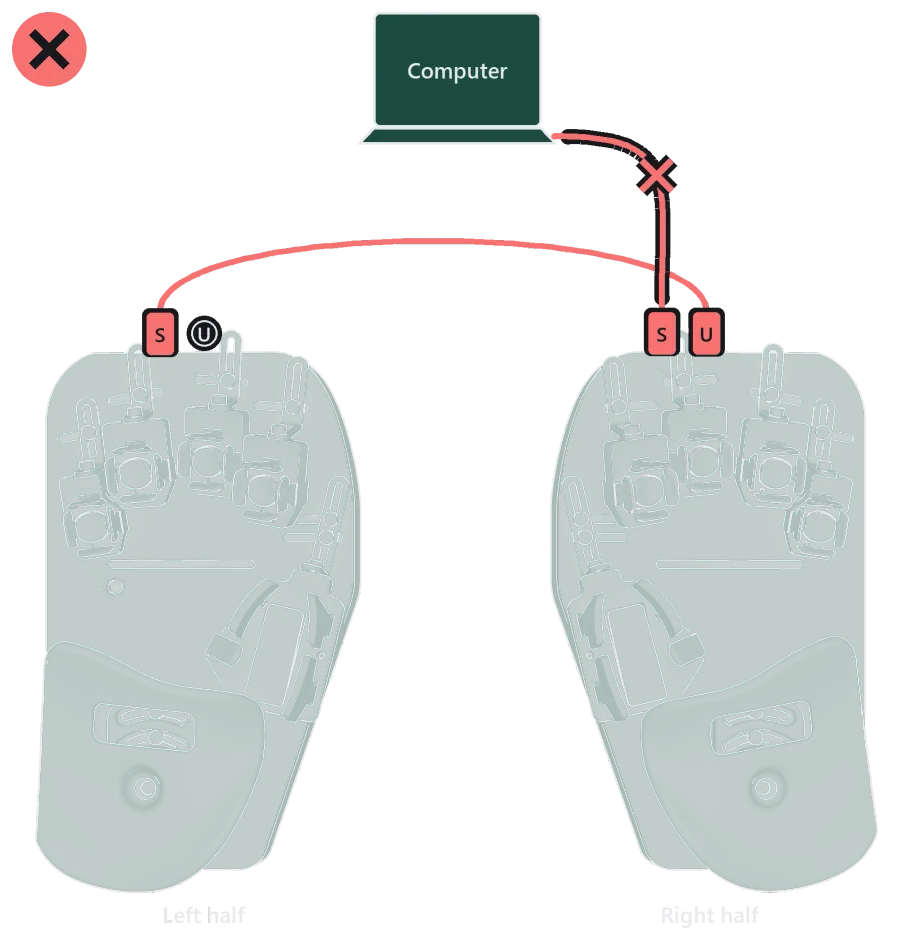
Wrong, marked with a red X: both halves from above. The cables on the right half are swapped: a red cable runs from the right half's S port to the computer, crossed out, and a red cable runs from the left half's S port to the right half's U port.Wrong, marked with a red X: both halves from above. The cables on the right half are swapped: a red cable runs from the right half's S port to the computer, crossed out, and a red cable runs from the left half's S port to the right half's U port.Wrong, marked with a red X: both halves from above. The cables on the right half are swapped: a red cable runs from the right half's S port to the computer, crossed out, and a red cable runs from the left half's S port to the right half's U port.Wrong, marked with a red X: both halves from above. The cables on the right half are swapped: a red cable runs from the right half's S port to the computer, crossed out, and a red cable runs from the left half's S port to the right half's U port.
Wrong: the computer plugged into the right half's S port, and the split cable into its U port.

Some boards come with small magnetic cable adapters in their ports, so the cables on the two halves can look different, and a magnetic cable is easy to put on the wrong port. Check the U and S letters on the case.